 |
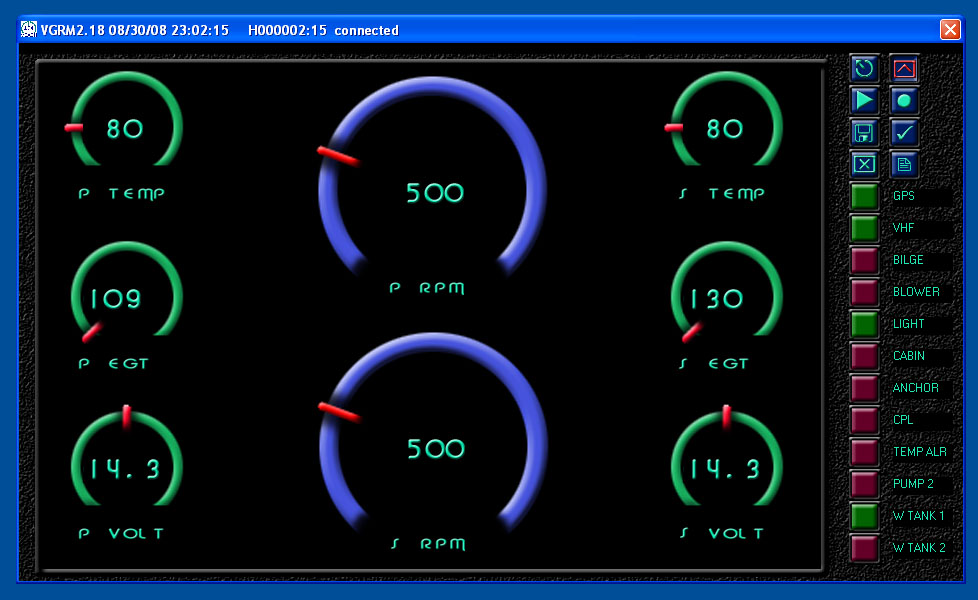
 Capture:
 |
| Start and Stop real-time
data capture to selected file. Also enables playback of capture log.
|
 Set:
Set: |
| Remote control of attached
vGauge SET button |
 Save
Save |
| Saves current display
configuration to programming files |
 Connect:
 |
| Specify the vGauge
device to connect to and start display or data logging |
 Flash:
 |
| Sends configuration text
files to the unit for reprogramming |
 Scroll:
 |
| Scrolls to next virtual
dashboard page. 8 maximum pages |
 Configuration Pages
 |
| Enables a series of
configuration dialogs for calibration tables, sensor labels, alarms,
and more. |
 Clear Page
 |
| Clears all selections on
current virtual dash borad page |
 vSwitch ON
 |
| Indicates vSwitch channel
is turned on. |
 vSwitch OFF
 |
| Indicates vSwitch channel
is turned off. |
|